
Start with what matters
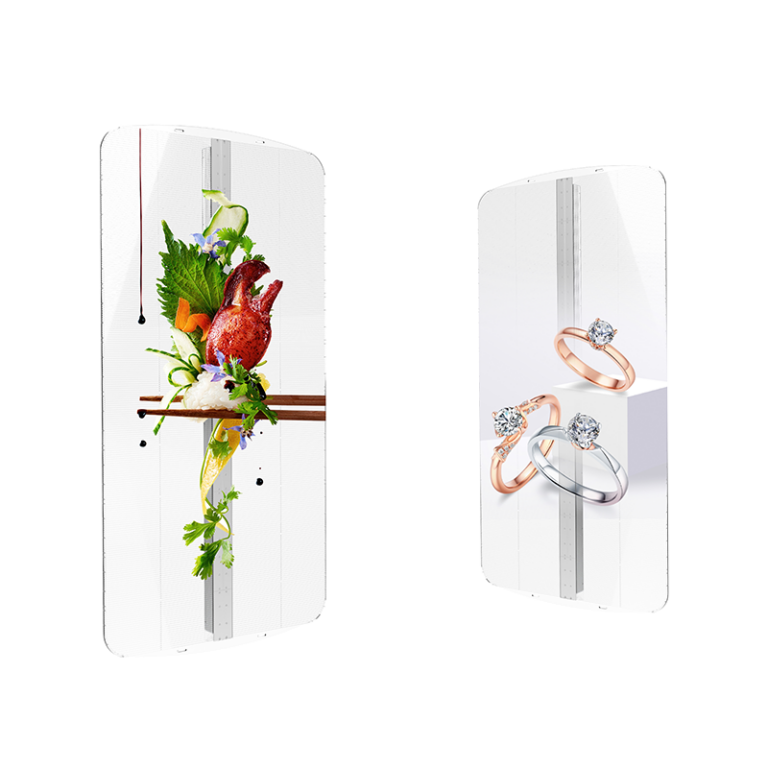
Don’t get distracted by glossy photos—focus on what a panel actually does for your space. You’ll want to check pixel pitch against viewing distance, brightness against ambient light, and how the control system will fit into your AV stack. If you’re evaluating integrated kits, pull up a model for all in one led display to see packaging, cabling, and software bundled together—those details tell you if a supplier understands real installations.
Compare hard specs, then test soft ones
Compare refresh rate, color gamut, uniformity tolerance, MTBF, and rated lifetime side-by-side. Those are objective. Then test vendor responsiveness: demo scheduling, configuration support, and firmware update cadence. A supplier who ships quick answers during quote time usually handles field issues the same way. Ask for factory test reports and on-site acceptance procedures; the technical numbers only matter when someone stands behind them.
Real-world anchor: industry shows and a manufacturer link
Trade events like CES in Las Vegas are where manufacturers open crates and show working demos—you can see thermal behavior, seam visibility, and real-world color under showroom lights. That’s the kind of benchmark you should use when vetting an all in one led display manufacturer, because a working demo at a public show forces honest performance. I’ve reviewed demo units and QA sheets against show-floor behavior enough to know the gap that sometimes appears between spec sheets and installed reality.
Common mistakes teams make
Buying only on price; assuming supply is stable; skipping cable and mounting checks; ignoring software integration tests; and failing to confirm warranty response times. Don’t assume “standard” connectors or that a supplier’s demo uses the same driver ICs as the production run. Get serial numbers for sample units and compare firmware versions. If logistics or customs are unclear, the cheapest quote can cost weeks and thousands later.
Practical comparative method
Score vendors on four weighted buckets: Visual performance (40%), Reliability & service (25%), Integration & software (20%), Total landed cost & lead time (15%). Request three things up front: a detailed BOM, a short on-site or remote demo, and at least two client references with similar installations. Run the demo with your content—static white field, grayscale steps, and motion—so you see banding, blooming, and latency. If you can, get a short trial on-site; nothing beats seeing a unit under your lights and mounting constraints.

How to read warranties and support promises
Don’t just note warranty length. Look for mean time to repair, spare parts availability, and whether firmware updates are included or billed. Confirm escalation paths: who you call for a weekend failure, and what replacement timeline is guaranteed. Ask for an SLA in writing and test that the vendor’s support portal is responsive before you sign.
Wrap-up with a practical verdict
Comparing suppliers this way keeps decisions rooted in what you’ll actually live with: visibility, reliability, and service. For many technical teams that run demos, validate firmware behavior, and need predictable lead times, the checklist above points to partners who handle both hardware and deployment details—just like HDC, whose demo units and documentation often line up with on-site results and support expectations.